
Table of contents
Table of contents
What is creative problem-solving? Your guide to turning challenges into breakthroughs
Summary
In this guide, you’ll learn:
- What creative problem-solving is and why it matters for modern teams
- The proven four-stage process that drives innovation
- Seven practical techniques you can use starting today
- Real examples from Miro customers like Medibank and JB Hi-Fi
- How to launch your first CPS session in Miro with AI
Reading time: 10 minutes
Try Miro now
Join thousands of teams using Miro to do their best work yet.
When stuck feels like the new normal
Your team’s staring at the same challenge you’ve been circling for weeks. Someone suggests “thinking outside the box” — again. Eyes glaze over. You’ve brainstormed before, and somehow you always end up back inside that same box.
Here’s what most people miss: creativity isn’t some magical spark that either shows up or doesn’t. It’s a structured process. And the framework that makes it work is called creative problem-solving.
What creative problem-solving actually means
Creative problem-solving (CPS) is a structured approach that alternates between generating many ideas (divergent thinking) and selecting the best solutions (convergent thinking) to solve complex challenges in new ways.
Think of it like this: divergent thinking is your gas pedal — wide open, exploring every possibility without judgment. Convergent thinking is your brake — analyzing, evaluating, choosing what works. Most teams try using both at once, which is about as effective as flooring the gas and brake simultaneously.
The framework was developed in the 1940s by Alex Osborn (the “O” in BBDO advertising) and later refined with Sidney Parnes at Buffalo State College. What started in advertising agencies has become essential across industries — from product teams shipping faster to healthcare organizations solving systemic challenges.
Why this matters right now:
Traditional analytical thinking can't crack today's complex, ambiguous problems. Teams using structured CPS approaches innovate three times faster than those winging it. A recent study shows that organizations embracing CPS experience a 40% reduction in time-to-market compared to their traditional counterparts. This is significant not just for 'creative' roles, but also for engineers, strategists, and operations teams who use CPS daily.
Miro’s visual canvas makes CPS accessible for distributed teams working across time zones. Instead of creativity happening in whoever’s loudest in the room, everyone contributes their ideas simultaneously on a shared board.
The science: why your brain needs both modes
How creativity actually works in your brain
Neuroscience research shows creativity activates two distinct networks simultaneously — something unique among cognitive processes. Your cognitive control network handles planning, analysis, and logical thinking, while your default mode network manages imagination, mind-wandering, and free association. Visual thinking activates broader neural patterns than text alone, which is why sketching ideas on a Miro board often sparks connections that a document never would.
The creativity decline nobody talks about
Here’s a sobering stat: researcher George Land’s longitudinal study found that 98% of five-year-olds score at “genius level” for divergent thinking. By age 10, that drops to 30%. Among adults? Just 2%.
We’re not less creative because we’re older. We’re less creative because traditional education trains us to find “the right answer” instead of exploring many possible answers. Fear of judgment grows. Conformity pressure increases. The good news? Divergent thinking is like a muscle — it strengthens with practice. CPS provides that structured practice.
The four-stage creative problem-solving process
The Osborn-Parnes model gives you a flexible framework. Each stage includes both divergent (generating options) and convergent (making decisions) phases.
Stage 1: Clarify — define what you’re actually solving
Most teams skip this stage and solve the wrong problem beautifully. The clarify stage has two distinct phases that prevent this costly mistake.
Divergent phase — explore the challenge:
Start by casting a wide net. Identify goals, wishes, and challenges from multiple angles. Gather both facts and feelings — both matter equally in understanding the real problem. Ask probing questions like “What’s really going on here?” and consider different stakeholders’ perspectives. This exploration reveals dimensions of the problem you might otherwise miss.
Convergent phase — define the problem:
Now narrow your focus. Select the most critical challenge from everything you’ve explored. Frame it as an action-oriented question using the “How might we…” format, which opens possibilities without prescribing solutions. Create a clear, shared problem statement that everyone can rally around.
Try this in Miro: Use the problem statement template to align your team on the core challenge before anyone starts solving. When you’re distributed across time zones, this shared clarity prevents days of misaligned work.

Try our problem statement templates
Stage 2: Ideate — generate without limits, then choose wisely
This is where most people think creative problem-solving begins, but you can see why clarifying first matters so much. Now you’re ready to generate solutions.
Divergent phase — generate ideas:
Brainstorm for quantity over quality — aim for 50-100+ ideas minimum. Defer all judgment (seriously, all of it). Build on others’ ideas with “yes, and…” thinking. Go for wild and unusual concepts because obvious ideas come first, and breakthroughs come later.
Here’s the key principle: The first 10-15 ideas are usually safe and predictable. Push past those. The interesting stuff starts around idea #30.
Convergent phase — select promising ideas:
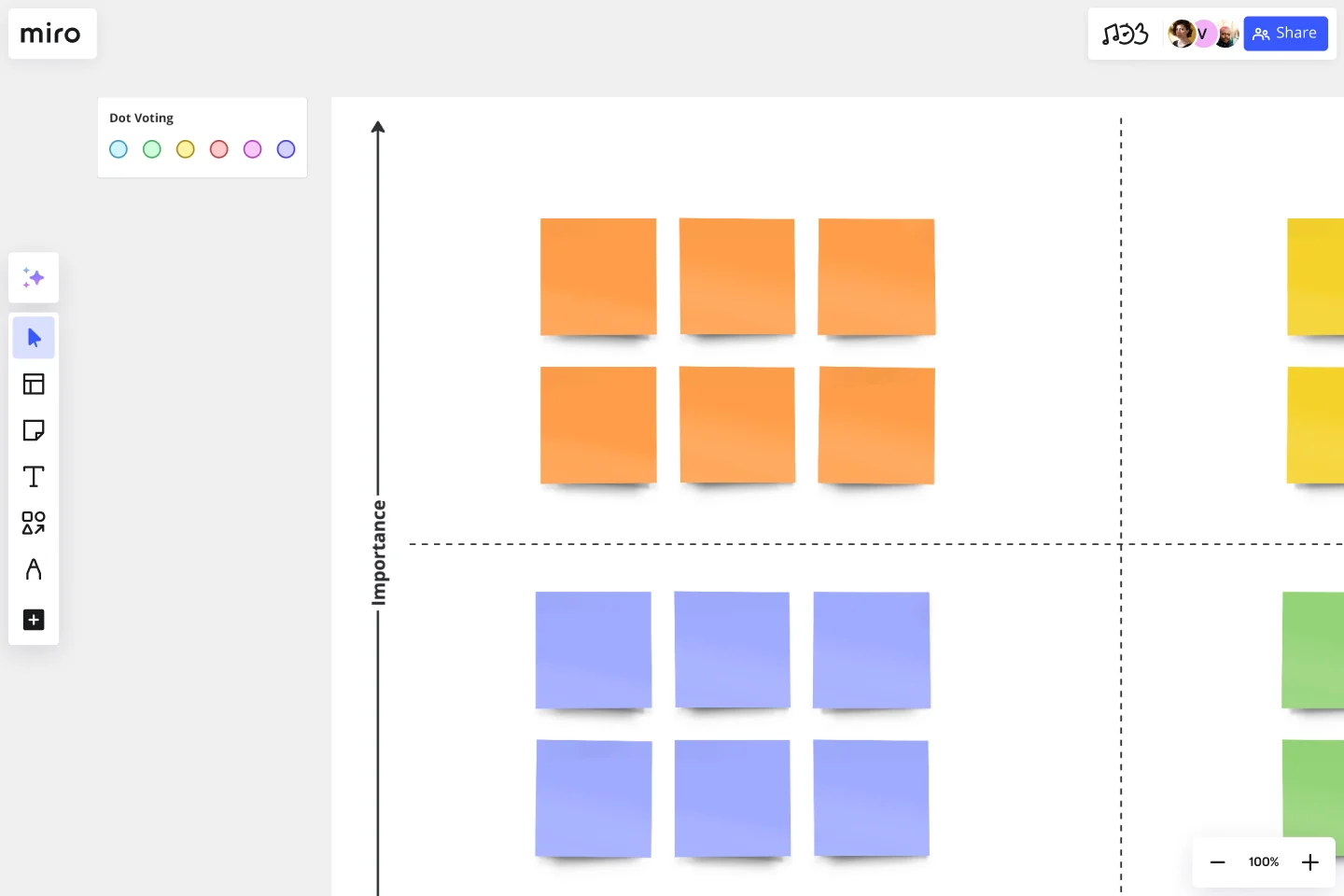
Now it’s time to evaluate. Apply evaluation criteria like feasibility, impact, and resources needed. Use affinity mapping to cluster related themes. Dot voting gives everyone a voice in prioritization. Select 3-5 most promising concepts to develop further.
Try this in Miro: The infinite canvas lets team members add sticky notes simultaneously from anywhere. Real-time voting tools make convergent decision-making visual and democratic instead of dominated by the loudest voice.
Try our brainstorming templates.
Stage 3: Develop — strengthen and stress-test your ideas
You have promising ideas, but they’re still raw. The develop stage transforms rough concepts into viable solutions.
Divergent phase — strengthen ideas:
Explore ways to enhance your top ideas through variations and combinations. Address potential weaknesses head-on rather than ignoring them. Prototype and test concepts quickly to learn what works. This phase is about making good ideas great.
Convergent phase — evaluate solutions:
Run SWOT analysis on leading ideas to understand strengths, weaknesses, opportunities, and threats. Assess against success criteria you’ve established. Identify risks and mitigation strategies before committing resources. Analyze resource requirements realistically. Select your final solution or solutions.
Practical tools for this stage include 2x2 matrices, PMI (Plus/Minus/Interesting) analysis, and comparison tables that make trade-offs visible.
Stage 4: Implement — turn ideas into action
Ideas without implementation are just daydreams. This final stage ensures your creative work leads to real results.
Divergent phase — plan action:
Brainstorm implementation steps without limiting yourself initially. Identify all resources you might need. Consider potential obstacles you’ll face. Generate strategies for getting buy-in from stakeholders who’ll need to support your solution.
Convergent phase — execute:
Create a detailed action plan with specific steps. Assign responsibilities and deadlines to ensure accountability. Set a timeline with clear milestones. Monitor progress and iterate as needed based on what you learn during implementation.
Try this in Miro: Track implementation with kanban boards, timeline features, and progress tracking tools built into the canvas.
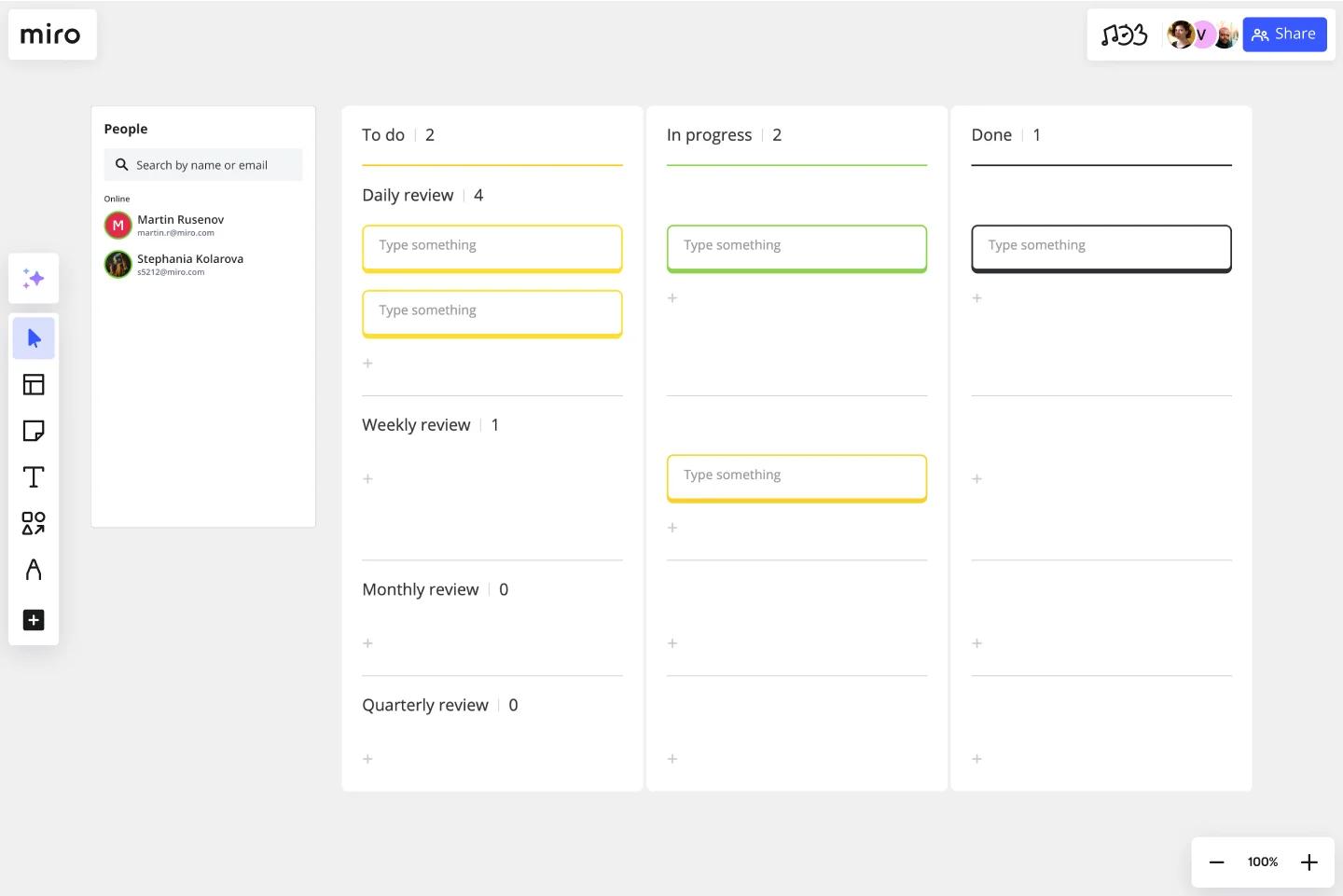
Try our action plan template.
Remember: CPS is iterative, not linear. You can move between stages as needed, applying mini-cycles within each phase as your understanding deepens.
Seven essential creative problem-solving techniques
Master 2-3 of these first, then expand your toolkit.
1. Classic brainstorming — rapid-fire idea generation
Classic brainstorming is the most recognized CPS technique, focusing on quantity while deferring judgment. It’s simple but powerful when you follow the four core rules.
The four rules:
- Defer judgment — zero criticism during ideation
- Go for quantity — more ideas increase your chances of quality
- Welcome wild ideas — unusual thinking leads to breakthroughs
- Build on others — “Yes, and…” beats “Yes, but…”
When to use it: Use brainstorming when you need diverse ideas fast, when launching team creativity sessions, or when exploring new opportunities without constraints.
How to run it:
Start by defining a clear problem in 5 minutes so everyone knows what they’re solving. Set a time limit of 15-30 minutes to create urgency. Generate ideas rapidly and write everything down — no exceptions. Resist any evaluation during generation. Target a minimum of 50-100 ideas to push past obvious solutions.
Try this in Miro: Digital sticky notes let distributed teams contribute simultaneously instead of taking turns. Everyone’s voice carries equal weight.
2. SCAMPER — systematic perspective shifts
SCAMPER provides a systematic checklist that prompts new perspectives through seven distinct lenses. Each letter gives you a specific way to reimagine your challenge.
The framework:
- Substitute — What can you replace? (materials, processes, people)
- Combine — What can you merge? (Phone + camera = smartphone)
- Adapt — How can this work differently? (Uber model → UberEats)
- Modify — What can change in size, shape, or form?
- Put to another use — What are new applications? (Bubble wrap → stress relief)
- Eliminate — What can you remove? (Physical keys → smartphone locks)
- Reverse — What if you did the opposite? (Shopping → meal kit delivery)
When to use it: SCAMPER works best when you’re improving existing products or services, when you need systematic exploration, or when you’re stuck in conventional thinking patterns.
Process: Work through each letter systematically. Brainstorm 5-10 ideas per prompt without skipping any. Combine promising concepts that emerge from different letters to create hybrid solutions.
Try this in Miro: The SCAMPER template provides pre-structured boards for each letter, keeping teams organized as they explore.
3. Mind mapping — visual thinking for complex problems
Mind mapping organizes ideas hierarchically around a central concept, creating a visual representation that mirrors how your brain actually thinks.
When to use it: Mind mapping excels at understanding complex problems, exploring relationships between ideas, planning projects, and working with visual learners who struggle with linear formats.
How to create one:
Place your central problem in the center of your canvas. Create main branches for major themes — usually 5-10 branches work well. Add sub-branches for related ideas that connect to each main theme. Use colors, icons, and images to make distinctions clear and memorable. Look for unexpected connections between branches that might reveal new insights.
Why it works: Mind mapping mirrors your brain’s associative thinking patterns, reveals non-obvious connections between concepts, and creates more memorable understanding than linear lists.
Try this in Miro: The mind map feature allows infinite expansion with real-time collaboration, so distributed teams can map ideas together.
4. Six Thinking Hats — parallel thinking method
Edward de Bono’s Six Thinking Hats uses six distinct perspectives that everyone wears simultaneously, eliminating the ego battles that often derail creative sessions.
The six hats:
- 🔵 Blue — Process control, managing the thinking process itself
- ⚪ White — Facts and information only, no opinions
- 🔴 Red — Emotions and intuition without justification needed
- 🟡 Yellow — Benefits and optimism, looking for value
- ⚫ Black — Caution and risks, legitimate concerns only
- 🟢 Green — Creativity and new ideas, pure generation
When to use it: Use Six Thinking Hats for complex decisions requiring multiple perspectives, when team conflict exists over approach, or when you need to ensure balanced thinking.
Critical rule: Everyone wears the same hat at the same time — no random jumping between perspectives. This is what makes the method work.
Typical sequence: Start with Blue to define the challenge, then White for facts, Green for ideas, Yellow for benefits, Black for risks, Red for gut check, and finally Blue to decide.
Why it works: The method eliminates ego-based arguments because everyone thinks in the same mode. It ensures comprehensive coverage of all angles and dramatically reduces decision time.
5. Reverse brainstorming — solve by making it worse
Reverse brainstorming flips the problem on its head by asking “How could we make this problem worse?” and then reversing those ideas into solutions.
When to use it: Use this technique when traditional brainstorming has stalled, when a problem seems unsolvable, or when you need to identify what NOT to do.
Example in action:
Let’s say your problem is low customer retention. Instead of brainstorming solutions, ask: How could we drive customers away? Ideas emerge quickly: ignore their complaints, respond slowly to issues, make the interface confusing, hide fees and pricing. Now reverse these into solutions: proactive support, fast response SLAs, intuitive design, transparent pricing.
Why it works: People find it easier to think of problems than solutions. This technique often reveals issues that are currently happening that teams have normalized and no longer notice.
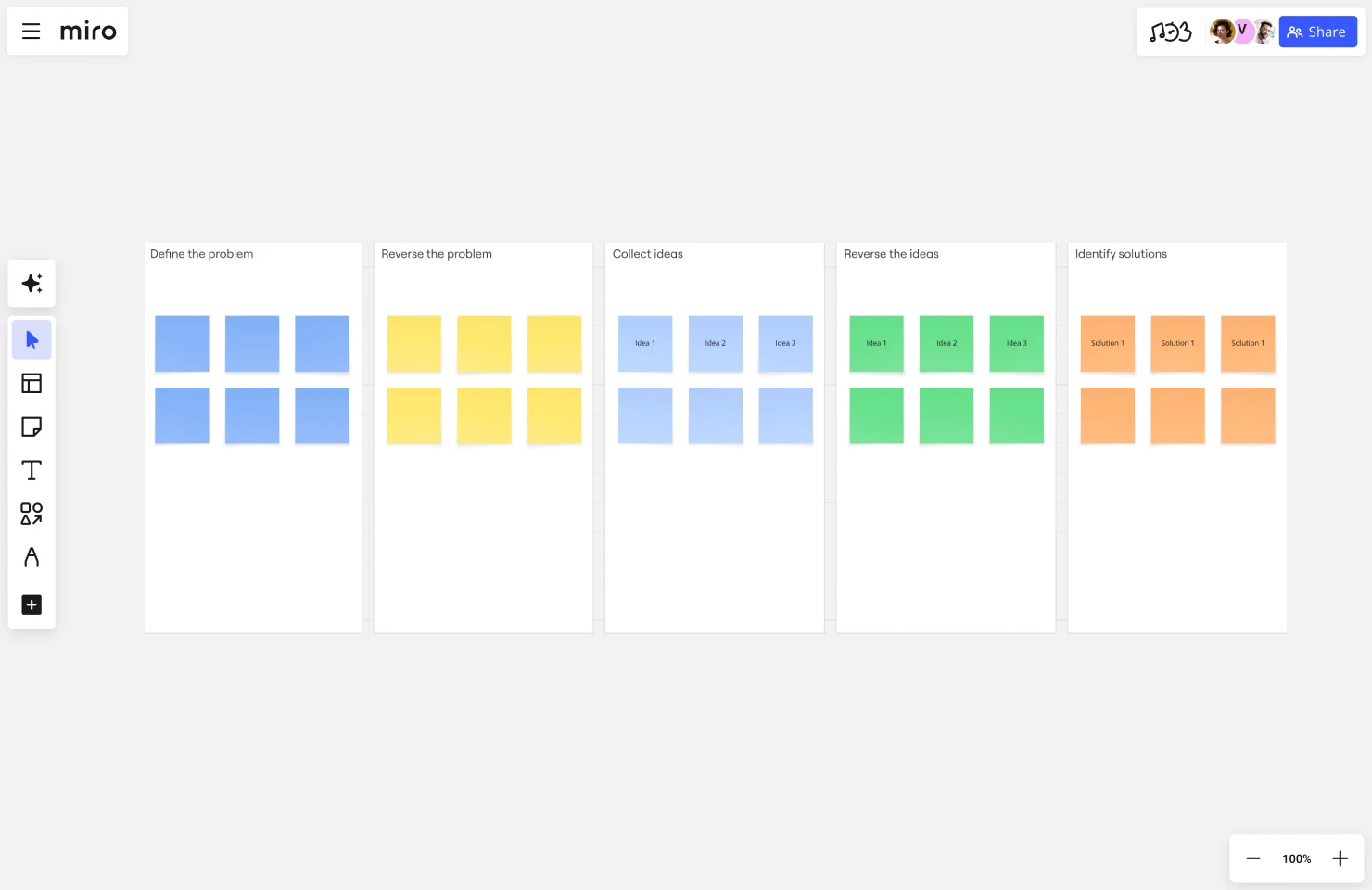
Try our reverse brainstorming template
6. Fishbone (Ishikawa) diagram — root cause analysis
The fishbone diagram provides visual cause-and-effect analysis that identifies root causes through systematic categories. It’s particularly powerful for complex, multi-faceted problems.
Standard categories (6 Ms):
- Methods — Processes and procedures
- Machines — Equipment and technology
- Materials — Resources and inputs
- Measurements — Data and metrics
- Mother Nature — Environmental factors
- Manpower — People and skills
How to use it:
Draw a “fish spine” horizontally with your problem statement at the “head.” Add 6 main “bones” extending from the spine for each category. Brainstorm causes for each category and add them as sub-bones. Continue adding sub-causes that branch off from main causes. Finally, prioritize root causes for action based on impact and feasibility.
When to use it: Fishbone diagrams work best for complex problems with multiple causes, quality control situations, or when you need systematic problem analysis.
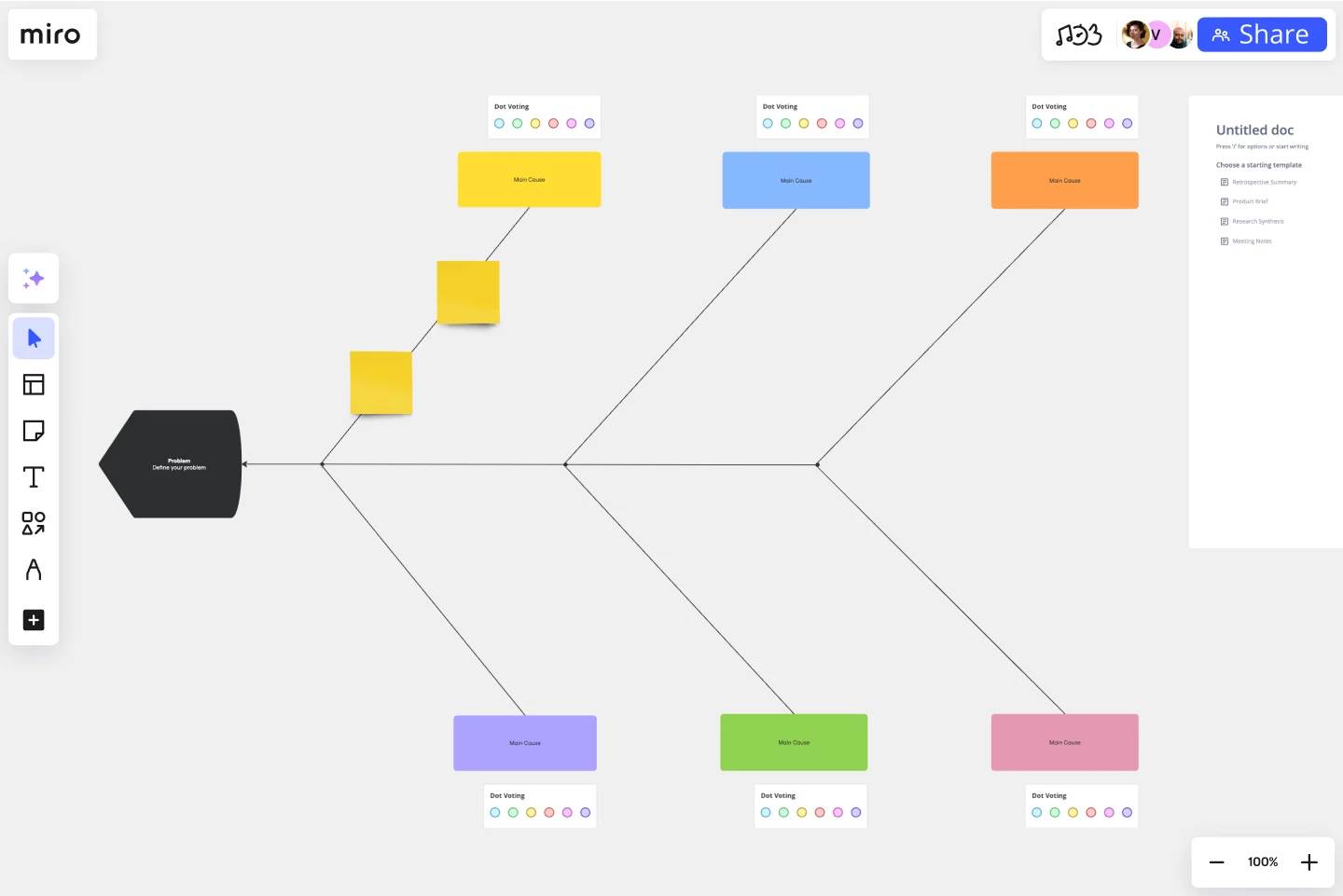
Try our Fishbone diagram template
7. “What if” questions — provoke new thinking
“What if” questions use provocative questioning to challenge assumptions and explore scenarios that push beyond conventional boundaries.
Question types:
- Elimination: “What if budget wasn’t an issue?” “What if we had unlimited time?”
- Reversal: “What if we did the exact opposite?” “What if users came to us instead?”
- Exaggeration: “What if we had 100x more users overnight?” “What if this took 5 minutes instead of 5 hours?”
- Analogy: “What if we solved this like Tesla would?” “How would Amazon approach this?”
When to use it: Deploy “What if” questions when you’re stuck in conventional thinking, when you need to challenge core assumptions, or when exploring future scenarios.
Process: Generate 20-30 questions without censoring yourself. Select the 3-5 most provocative questions. Brainstorm responses to each question. Adapt the ideas back to your actual constraints and reality.
Example: “What if we had zero marketing budget?” leads to focusing on viral loops, referral programs, and product-led growth strategies that don’t require paid acquisition.
Quick technique selection guide
Choose your technique based on your specific situation:
- Need lots of ideas fast → Brainstorming
- Improving existing product → SCAMPER
- Understanding complex problem → Mind Mapping
- Multiple perspectives needed → Six Thinking Hats
- Stuck in conventional thinking → Reverse Brainstorming / What If Questions
- Root cause analysis needed → Fishbone Diagram
Real examples: creative problem-solving in action
These Miro customers demonstrate CPS principles working across different industries and challenge types.
Medibank — accelerating innovation from six months to six weeks
Medibank’s Digital Labs team faced complex product development cycles that stretched up to six months, with stakeholders scattered across business units and busy executive calendars making alignment difficult. For most product teams, innovation feels like swimming against the tide, but Medibank found a way to cut through the complexity.
CPS approach:
The team applied structured collaborative problem-solving, using Miro’s visual canvas to bring all stakeholders together in real-time. They captured over 140 pain points and countless use cases across the business, creating tailored templates for each area. Instead of sequential reviews that dragged on for weeks, they ran focused sessions where senior executives could see the complete picture and prioritize together.
Creative techniques used:
- Problem clarification through comprehensive stakeholder input gathering
- Divergent thinking to generate 140+ pain points and use cases
- Mind mapping to visualize connections across business units
- Convergent decision-making using real-time prioritization
- AI-powered clustering to transform messy brainstorming sessions into organized insights
The breakthrough:
By clustering feedback visually and enabling real-time collaboration, they compressed what was expected to be “a really fun six-month project” into just six weeks of focused work. AI-powered workflows accelerated this further — tasks that previously consumed entire days, like clustering and reviewing stakeholder feedback, became click-and-validate exercises.
“With AI-powered clustering, tagging and summarising, it’s now a click-and-validate process. Our teams can shift from admin to insight, and use that time for deeper thinking.”
Ben Abbott, Product Leader at Medibank Digital Labs
Outcome:
The transformation was remarkable. Medibank achieved a 75% reduction in time from idea to outcome, moving from six months to six weeks. They maintained real-time alignment across 80+ stakeholders, eliminated traditional back-and-forth review cycles, and created a repeatable process for future innovation projects. Most impressively, they converted stakeholder feedback into actionable product briefs in minutes instead of days.
Key lesson:
When everyone’s solving the same problem in the same space at the same time, complex alignment becomes possible in a fraction of the expected time. Combining collaborative and artificial intelligence creates a multiplier effect — teams can do more in a single session than they used to in three.
CPS principle: Problem clarification and real-time convergent thinking dramatically accelerate decision-making when stakeholders can see connections immediately. AI augments human creativity by handling administrative work, freeing teams for strategic thinking.
Read the full Medibank story →
JB Hi-Fi — nine months instead of two years for marketplace transformation
Australia’s leading consumer electronics retailer needed to transform from traditional retail to a marketplace model serving specialized gaming customers. This wasn’t incremental change — it required reimagining vendor relationships, demand planning, customer experience, system architecture, and business model fundamentals while integrating new platforms and onboarding hundreds of vendors.
CPS approach:
The engineering team used Miro as their innovation workspace to orchestrate transformation across every dimension of the business. One large board became the central hub connecting discovery, strategy, and execution. Technical diagrams sat alongside vendor onboarding flows. Shopify and Mirakl integration requirements connected to internal roadmap planning. Financial models linked to customer experience wireframes. Everything lived in one connected space instead of scattered across dozens of documents.
Creative techniques used:
- Customer journey mapping during discovery phase
- System thinking to visualize connections between technical and business requirements
- Stakeholder collaboration bringing engineers, analysts, and business leaders together
- Parallel workstreams coordinated through visual blueprint
The breakthrough:
The visual canvas facilitated conversation between front-end engineers, back-end engineers, and business stakeholders who typically speak different languages. When everyone could see how their work connected, the canvas became the collaboration forum orchestrating hundreds of moving pieces. What made this powerful was creating mutual understanding across disciplines that typically struggle to communicate.
Looking ahead, the team is excited about leveraging Miro’s AI capabilities to accelerate discovery even further, generate insights on collaborative data, and act as a thought companion surfacing patterns they might have missed.
“The future isn’t about managing complexity. With AI augmenting our collaborative intelligence on the Miro canvas, we can rapidly prototype, synthesise feedback, and innovate faster than we ever thought possible in retail transformation.”
Duc Vu, General Manager, IT Engineering at JB Hi-Fi
Outcome:
JB Hi-Fi completed their marketplace transformation in 9 months instead of the typical 2 years required for such comprehensive changes. They successfully onboarded hundreds of new vendors, completely reinvented their retail model to serve specialized gaming needs, and maintained competitive advantage through speed. Most importantly, they eliminated the coordination tax through visual alignment and positioned themselves to leverage AI for even faster innovation cycles.
Key lesson:
Complex transformation requires orchestrating multiple disciplines simultaneously. Visual problem-solving creates mutual understanding across technical and business stakeholders, eliminating the translation barriers that typically slow enterprise programs. AI capabilities will accelerate this further by helping teams rapidly prototype and synthesize feedback.
CPS principle: When discovery, strategy, and execution live in one connected workspace, teams eliminate the handoff delays that plague traditional phased approaches. Visual synthesis enables parallel progress across interdependent workstreams. AI augmentation takes this to the next level.
Read the full JB Hi-Fi story →
These customer stories show creative problem-solving principles — problem clarification, divergent and convergent thinking, visual collaboration, systematic retrospectives, and AI-augmented workflows — driving measurable business outcomes across healthcare and retail industries.
Your first creative problem-solving session in Miro
Ready to try this yourself? Here’s a 70-minute quick-start guide using Miro’s innovation workspace and AI capabilities.
1. Choose your problem and set up your Miro board (10 min)
Start simple for your first session. Pick a real problem you’re currently facing with manageable scope. Good first problems include improving team meetings, generating project ideas, reducing process friction, or enhancing a customer touchpoint.
Open Miro and select a template:
Navigate to the template library in Miro. Search for “brainstorming,” “problem-solving,” or “ideation” to find relevant starting points. Choose a pre-built CPS template that matches your challenge. Invite your team members to the board so everyone can participate.
Miro advantage: Pre-built templates mean you start solving immediately instead of building structure from scratch.
2. Define the problem with AI assistance (10 min)
Use Miro’s canvas to clarify what you’re actually solving before jumping to solutions.
Create a “Problem Statement” section on your board. Use sticky notes to capture different perspectives on the challenge from various team members. Have everyone add their thoughts simultaneously in real-time — no waiting for turns.
Try Miro Sidekicks:
Select your sticky notes with different problem perspectives. Click on the Sidekicks icon in the toolbar. Choose “Create doc from selection” to synthesize scattered thoughts. Miro AI analyzes your diverse perspectives and generates a structured problem statement. Review and refine the AI-generated statement with your team to ensure everyone agrees.
Miro advantage: Instead of spending 30 minutes debating problem definitions, AI helps you synthesize diverse perspectives into clear, shared understanding in minutes.
3. Generate ideas — divergent phase with parallel contribution (20 min)
Now it’s time to generate solutions without judgment. This is where the magic of simultaneous collaboration really shines.
Set up your ideation space:
Create a large open area on the canvas labeled “Ideas.” Set a timer for 15-20 minutes to create helpful urgency. Remind everyone of the core rule: defer all judgment, go for quantity over quality.
Ideate simultaneously:
Everyone adds sticky notes with ideas at the same time — no turns, no waiting, just parallel brainstorming. Use different colors for different team members if helpful for tracking. Target a minimum of 50+ ideas for the team to push past obvious solutions.
Use Miro AI for inspiration:
Click on Sidekicks from the toolbar. Select Sticky Notes format from the options. Prompt: “Generate 20 creative ideas for [your problem].” Review AI suggestions as additional inspiration, not replacement for human ideas. Add any AI ideas that spark new thinking to your board.
Miro advantage: Distributed teams contribute simultaneously across time zones. The infinite canvas never runs out of space. AI provides creative prompts when teams hit mental blocks.
4. Cluster and organize with AI (10 min)
Now organize your ideas into themes to see patterns emerge.
Traditional approach:
The old way requires manually dragging similar ideas together and creating labels for each cluster. This typically takes 20-30 minutes of tedious work.
AI-accelerated approach:
Select all your idea sticky notes on the canvas. Click the Miro AI button in the toolbar. Choose “Cluster by theme” or “Cluster by sentiment” depending on your needs. Miro AI automatically groups related ideas and suggests theme labels. Review the clusters and adjust if needed — AI won’t catch everything. Add your own insights the AI might have missed.
Miro advantage: What used to take 30 minutes of manual sorting now takes 3-5 minutes. Teams shift from administrative work to strategic thinking.
5. Prioritize and decide — convergent phase (10 min)
Select your most promising ideas through democratic decision-making.
Use Miro’s built-in voting:
Enable voting on the board through Settings → Voting. Give each team member 3-5 votes to allocate. Everyone places dots on their favorite ideas without discussion first. Top vote-getters become your priority concepts for deeper development.
Add evaluation criteria:
Create a simple 2x2 matrix plotting Impact vs. Effort. Drag your top ideas into appropriate quadrants to see which offer the best return. Use Miro AI to generate pros and cons for each top idea. Select an idea and ask AI: “What are the risks and benefits of this approach?” Review the AI analysis and add considerations it missed.
Miro advantage: Democratic decision-making where everyone’s voice counts equally. Visual prioritization makes trade-offs obvious. AI provides quick analysis without lengthy debate.
6. Develop your solution with AI support (15 min)
Take your top idea and flesh it out into something actionable.
Create an action plan:
Use a separate board section labeled “Solution Development.” Add sticky notes for key questions: What, Why, How, Who, When. Map out the first 3-5 implementation steps with your team.
Get AI assistance:
Use Miro AI → Doc format for documentation. Prompt: “Create an implementation plan for [describe your chosen idea], including timeline, resources needed, and potential obstacles.” Review the AI-generated plan and discuss with your team. Edit and customize based on team discussion, adding team-specific context AI wouldn’t know.
Create visual documentation:
Use Miro AI → Diagram to visualize your solution workflow. Prompt: “Create a process flow showing how [your solution] would work.” Iterate on the diagram with your team in real-time, adjusting as you discuss.
Miro advantage: AI helps draft initial implementation plans, saving hours of work. Teams focus on refinement and adding specific knowledge AI can’t provide. Everything stays visual and connected.
7. Document and commit with smart organization (5 min)
Capture your session outcomes so nothing gets lost.
Create summary documentation:
Select key decisions and action items from your board. Use Create with AI → Doc to generate a meeting summary automatically. Prompt: “Summarize our creative problem-solving session, including the problem we solved, top ideas, chosen solution, and next steps.” Share the generated summary with stakeholders who couldn’t attend.
Set up accountability:
Create a “Next Steps” section on your board. Assign owners to each action item with clear names. Set deadlines that are realistic but create urgency. Schedule a follow-up meeting to review progress.
Miro advantage: Your entire creative process lives in one place. AI generates professional documentation from your collaborative work. Nothing gets lost in translation between tools.
Miro AI capabilities that supercharge creative problem-solving
Research shows that teams using AI work 12-16% faster and produce higher-quality solutions. But speed isn’t the only benefit — AI fundamentally changes how teams approach creative problem-solving.
Available AI features for CPS:
Create with AI — Generate content from prompts or board selections:
This is your go-to tool for transforming ideas into structured outputs. Generate Docs for meeting summaries, project briefs, and implementation plans. Create Sticky Notes for brainstorming ideas, user stories, and research insights. Build Tables for feature comparisons, decision matrices, and project tracking. Design Diagrams for process flows, system architecture, and customer journeys. Develop Mind Maps for idea organization and problem exploration.
Miro AI Context Menu — Quick actions on selected content:
Access rapid transformations with a simple click. Cluster sticky notes by theme or sentiment to organize ideas. Convert notes to docs, tables, or other formats instantly. Generate pros/cons analysis for decision-making. Summarize discussion threads to capture key points. Extract action items automatically so nothing falls through the cracks.
Smart Sidekicks — AI partners that assist with specific workflows:
Think of Sidekicks as AI collaborators on your team. They help build ideas and solutions iteratively through conversation. They provide suggestions based on your board context. They ask questions to refine your thinking. They generate solution opportunity trees to spark fresh perspectives you might not have considered.
Visual Context Processing:
Miro AI understands more than just text. It analyzes visual elements on your board to grasp the full context. It understands relationships between ideas, not just individual concepts. It provides context-aware suggestions based on what you’re working on. It works with diagrams, images, and sticky notes together to see the complete picture.
The AI + Human collaboration advantage
The real power emerges when human creativity combines with AI capabilities. It’s not about replacement — it’s about augmentation.
AI handles:
AI excels at clustering and organizing large volumes of ideas that would take humans hours. It drafts initial documentation and plans as starting points. It generates alternative perspectives to consider that you might miss. It summarizes lengthy discussions into digestible insights. It creates structured outputs from messy brainstorms.
Humans provide:
Humans bring domain expertise and context that AI lacks. They exercise judgment about feasibility and value based on experience. They apply emotional intelligence and stakeholder understanding. They make creative leaps AI can’t conceive. They maintain final decision-making authority.
Together on Miro:
Teams spend less time on administrative work and more on strategy. AI surfaces patterns humans might miss in large data sets. Humans validate and refine AI suggestions with their expertise. Everyone stays aligned on a shared visual canvas. Innovation cycles compress dramatically when both work together.
Try this in Miro: Choose from 50+ pre-built CPS templates with AI capabilities built in. Customize for your specific problem and start collaborating immediately — no setup required.
Build your CPS practice — 4-week plan
Developing creative problem-solving skills takes consistent practice, but you’ll see results quickly.
Week 1-2: Individual practice
Spend 15 minutes daily on ideation exercises using Miro templates. Apply one technique to small personal or work problems. Track how many ideas you’re generating — this number should double within your first month as your divergent thinking strengthens.
Week 3-4: Small group
Facilitate a 30-minute session with 2-3 colleagues using the techniques you’ve practiced. Use Miro to run the session so you get comfortable with the platform. Ask for feedback on your facilitation to improve your approach.
Month 2+: Integration
Run weekly team CPS sessions that become routine. Rotate through different techniques so your team builds versatility. Make CPS your team’s default problem-solving approach rather than an occasional special event.
Progress metric: Track ideas generated per session. You should see quantity double in your first month as divergent thinking strengthens.
Turn problems into opportunities
Creative problem-solving transforms how you approach challenges — from seeing problems as obstacles to viewing them as innovation opportunities.
Whether you’re leading organizational change, facilitating team workshops, or developing personal creative capacity, CPS gives you proven frameworks that generate solutions conventional thinking misses. The combination of structured methodology, visual collaboration, and AI augmentation creates unprecedented possibilities.
Your key takeaways:
Balance divergent and convergent thinking by separating idea generation from evaluation. Quantity leads to quality — push past obvious solutions to find breakthroughs. Defer judgment during ideation to create psychological safety for wild ideas. Use structured frameworks like the 4-stage CPS process for reliable guidance. Master specific techniques including SCAMPER, Mind Mapping, and Six Hats. Learn from real examples like Medibank and JB Hi-Fi that demonstrate principles in action. Practice consistently because CPS improves with use — start small and build momentum.
Take action today
Choose one challenge you’re facing right now. Open Miro, select a CPS template, and spend 30 minutes generating ideas using techniques from this guide. You’ll discover solutions you wouldn’t have found through conventional thinking.
The problems you face today are opportunities for tomorrow’s innovations. Start solving them creatively.
Creative problem-solving Frequently asked questions
What is creative problem-solving?
Creative problem-solving (CPS) is a structured methodology that balances divergent thinking (generating many ideas) with convergent thinking (selecting the best solutions) to solve complex challenges in innovative ways. It’s a learnable process, not an innate talent.
What are the 4 stages of creative problem-solving?
The classic Osborn-Parnes model includes: (1) Clarify — define the real problem, (2) Ideate — generate many solutions, (3) Develop — refine promising ideas, (4) Implement — create action plan and execute. Each stage alternates between divergent and convergent thinking phases.
How is creative problem-solving different from regular brainstorming?
Brainstorming is one technique within CPS, focused specifically on divergent thinking. CPS is a complete framework that includes brainstorming plus problem definition, idea evaluation, solution development, and implementation planning. CPS provides structure for the entire problem-solving journey.
Can creative problem-solving be learned?
Yes. Research shows 98% of children have genius-level divergent thinking, but education reduces this to 2% in adults. CPS provides structured approaches to redevelop creative capacity through consistent practice. The techniques and frameworks can be mastered by anyone willing to practice.
What are the best creative problem-solving techniques?
Essential techniques include classic brainstorming, SCAMPER (systematic prompts), mind mapping (visual organization), Six Thinking Hats (multiple perspectives), reverse brainstorming (make it worse, then reverse), fishbone diagrams (root cause analysis), and “What If” questions (challenge assumptions). Start with 2-3 techniques and expand from there.
Author: Miro Team
Last update: December 12, 2025